
 By
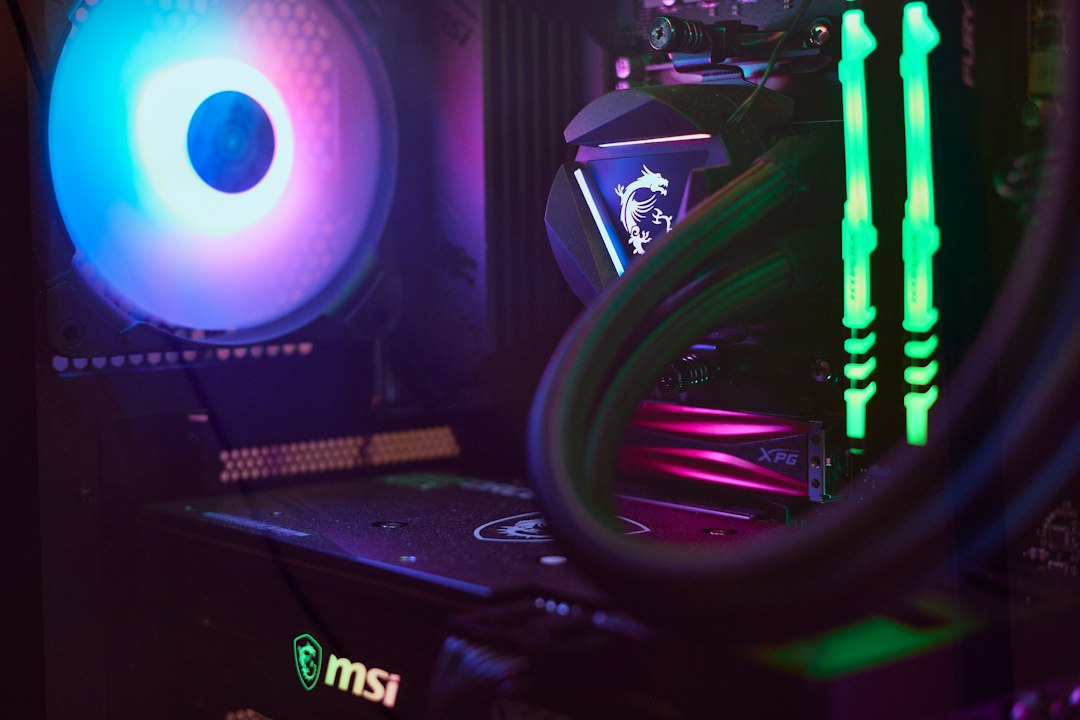
When it comes to overclocking your CPU, efficient cooling is not just a luxury; it’s a necessity. Overclocking pushes your processor beyond its standard limits, generating additional heat that can lead to thermal throttling or even permanent damage. This is where thermalguardtech.com comes into play, offering a range of CPU cooling systems designed to keep your temperatures in check while you push your hardware to its limits. Understanding the importance of effective cooling solutions can significantly enhance your overclocking experience and ensure your system runs smoothly.
The Basics of CPU Cooling
At its core, CPU cooling is about managing heat. When a CPU operates, it generates heat as a byproduct of its processing activities. If this heat isn’t dissipated effectively, it can lead to performance drops or hardware failure. There are two primary types of cooling systems: air cooling and liquid cooling. Air cooling uses fans and heatsinks to dissipate heat, while liquid cooling circulates coolant through a system to absorb and transfer heat away from the CPU. Each method has its pros and cons, but both are essential for maintaining optimal performance during overclocking.
Choosing the right cooling system is crucial for any overclocker. For beginners, air cooling might be the most accessible option, as it typically requires less maintenance and is easier to install. However, as you become more experienced and push your CPU further, liquid cooling systems can offer superior performance and lower temperatures. Regardless of the method you choose, understanding how your cooling system works will empower you to make informed decisions about your overclocking setup.
Why Overclocking Needs Efficient Cooling
Overclocking increases the voltage and frequency of your CPU, which in turn raises its temperature. Without adequate cooling, this can lead to instability and crashes. Efficient cooling systems help maintain a stable temperature, allowing you to enjoy the benefits of overclocking without the risks. Moreover, a well-cooled CPU can sustain higher performance levels for longer periods, which is particularly beneficial for gaming or intensive computational tasks.
Moreover, efficient cooling can extend the lifespan of your CPU. High temperatures can accelerate wear and tear on your components, leading to premature failure. By investing in a quality cooling solution from thermalguardtech.com, you not only enhance your immediate performance but also protect your investment in the long run. This dual benefit makes efficient cooling a critical component of any overclocking strategy.
Choosing the Right Cooling System
When selecting a cooling system, consider factors such as your CPU model, case size, and budget. Thermalguardtech.com offers a variety of options tailored to different needs, from budget-friendly air coolers to high-end liquid cooling systems. It’s essential to ensure compatibility with your hardware to maximize efficiency. Additionally, consider the noise levels of your cooling system; some high-performance fans can be quite loud, which may not be ideal for all users.
Another important aspect is the ease of installation. Some cooling systems require more technical knowledge to set up than others. If you’re new to overclocking, you might prefer a simpler air cooler that can be installed without extensive modifications to your system. On the other hand, if you’re comfortable with more complex setups, a liquid cooling system can provide superior performance and aesthetics.
Maintenance and Upkeep
Even the best cooling systems require regular maintenance to ensure optimal performance. Dust buildup can significantly reduce the efficiency of your cooling solution, so it’s important to clean your fans and heatsinks regularly. Depending on your environment, you may need to perform this maintenance every few months. Additionally, if you opt for a liquid cooling system, check the coolant levels periodically and replace the coolant as needed to prevent overheating.
Another maintenance tip is to monitor your CPU temperatures using software tools. Keeping an eye on your temperatures can help you identify potential issues before they become serious problems. If you notice your temperatures rising unexpectedly, it may be time to reassess your cooling solution or perform some maintenance. By staying proactive, you can ensure that your overclocking experience remains smooth and enjoyable.
Checklist:
Before you start overclocking, ensure you have an efficient cooling system, monitor your CPU temperatures regularly, and perform routine maintenance on your cooling components. Following this checklist will help you achieve the best results while keeping your system safe from overheating.